Key takeaways
- We drew the same sample answer page (four questions, 6/12) nine times, with nine different pen settings in Evalezy.
- Between pens, the letter shapes, slant, tick and cross strokes, ink colour and darkness change.
- The check does not change: the same marks per question, the same ticks and crosses on the same lines, the same remarks and the same circled total, 6/12.
- Which pen to pick is a school’s choice: a neat classic hand for younger classes, the Teacher hand for a copy that looks hand-checked, a lighter or different ink for less red on the page.
- The pages are drawn by Evalezy’s pen preview on a built-in sample page; this is a showcase, not a customer result.
When schools first see an AI-checked copy, one of the first questions is: “Can it write in our colour?” or “Can it look less like a computer?” Evalezy lets you choose the pen before checking. To show what that choice really changes, we drew one answer page in nine pens.
The setup
| Page | Evalezy’s built-in sample page: a Class 8 science answer sheet, four questions, 12 marks |
| Marks on the page | Q1 3/3 · Q2 2/4 · Q3 1/2 · Q4 0/3 · total 6/12, circled at the top right |
| Remarks | “Good”, “Long answer needs more elaboration”, “Formula missing”, “Evaporation, not condensation” |
| Pens | Six handwritings in red, plus the Teacher hand in green, in darker blue and in lighter red |
| How the images were made | Evalezy’s pen preview, which draws a page the same way as a real checked copy |
Nine pens, one page
Each image shows questions 2 to 4. Open the full page to see the circled total and question 1.
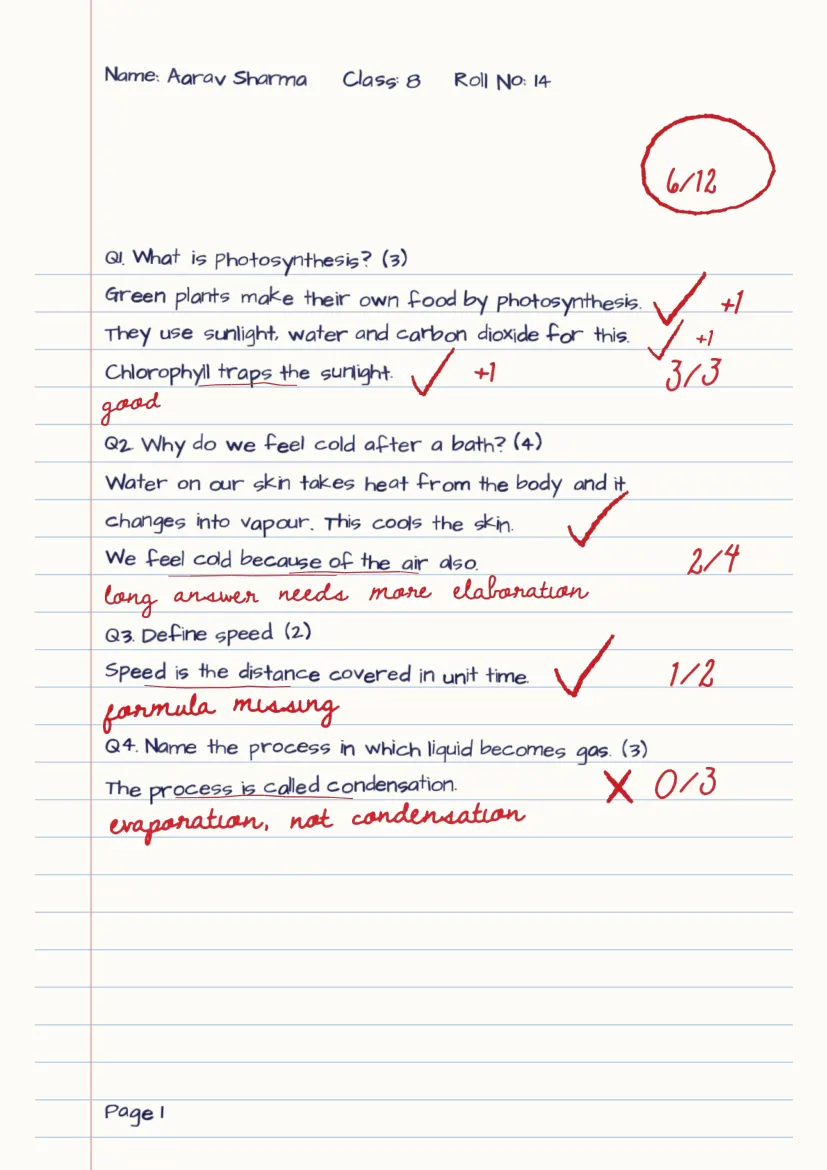
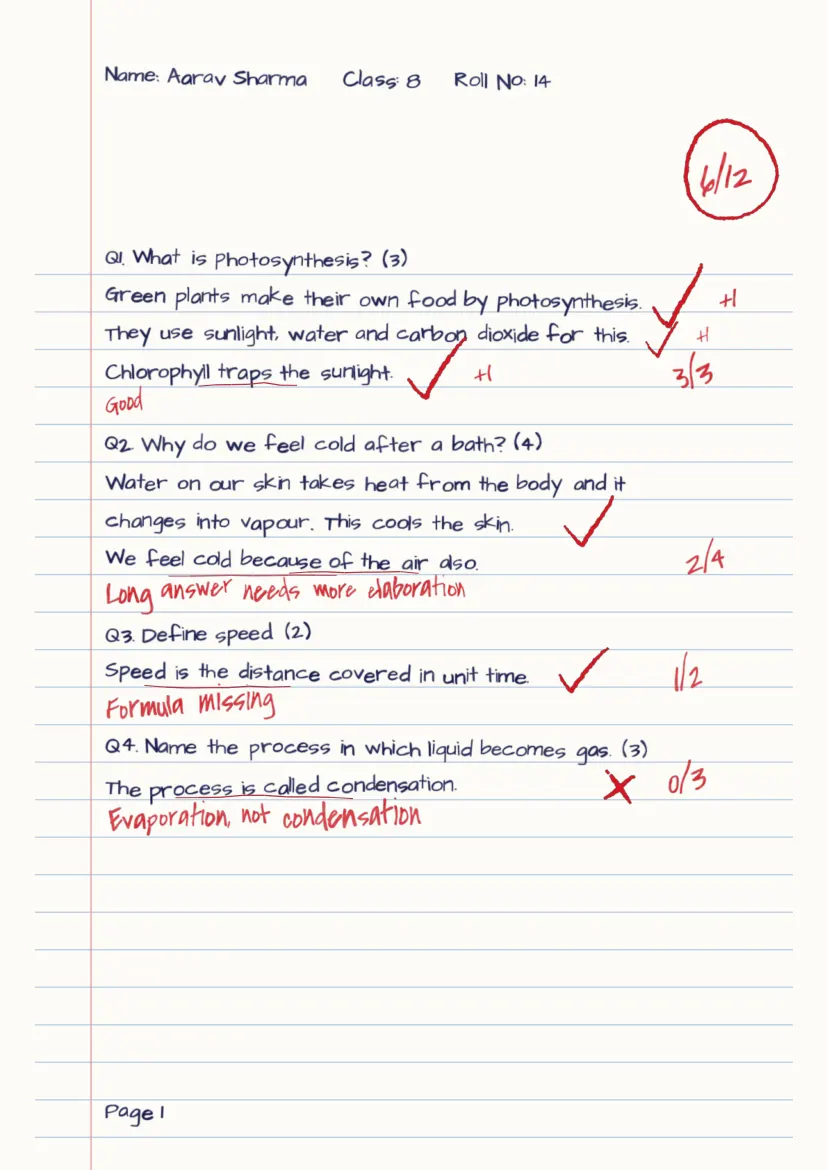
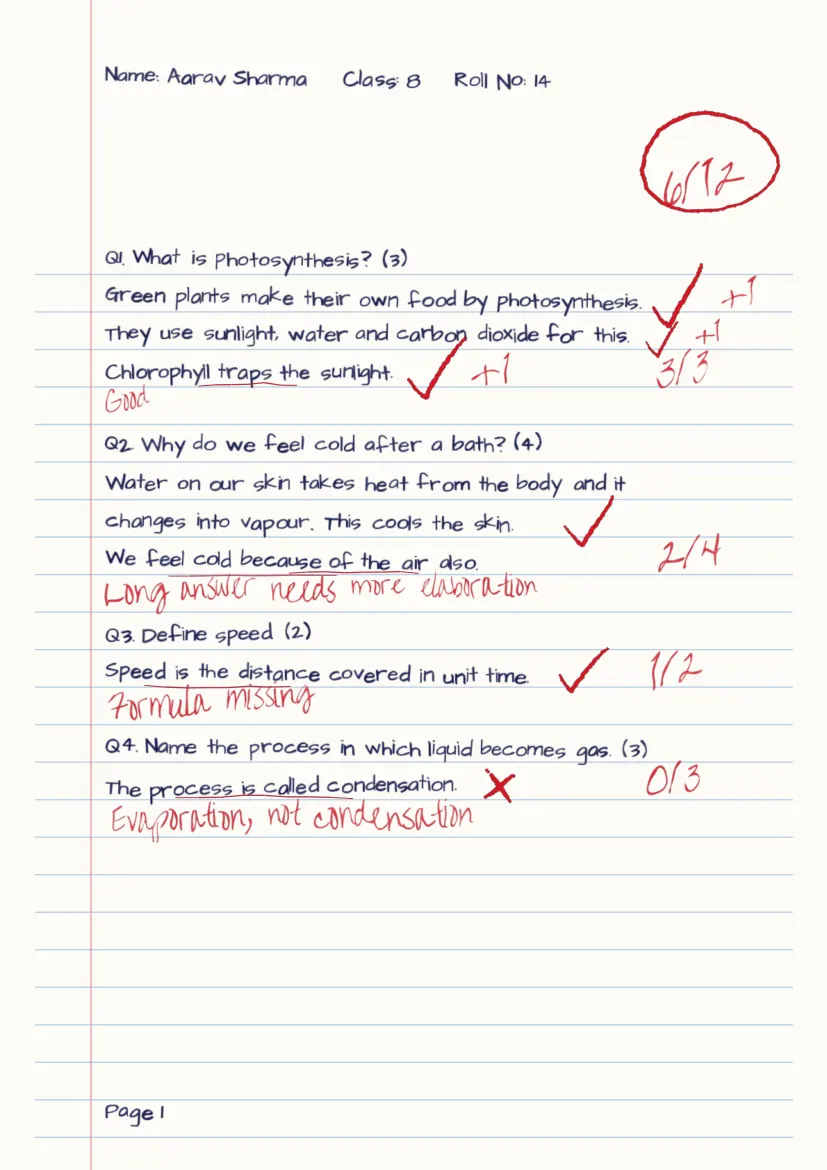
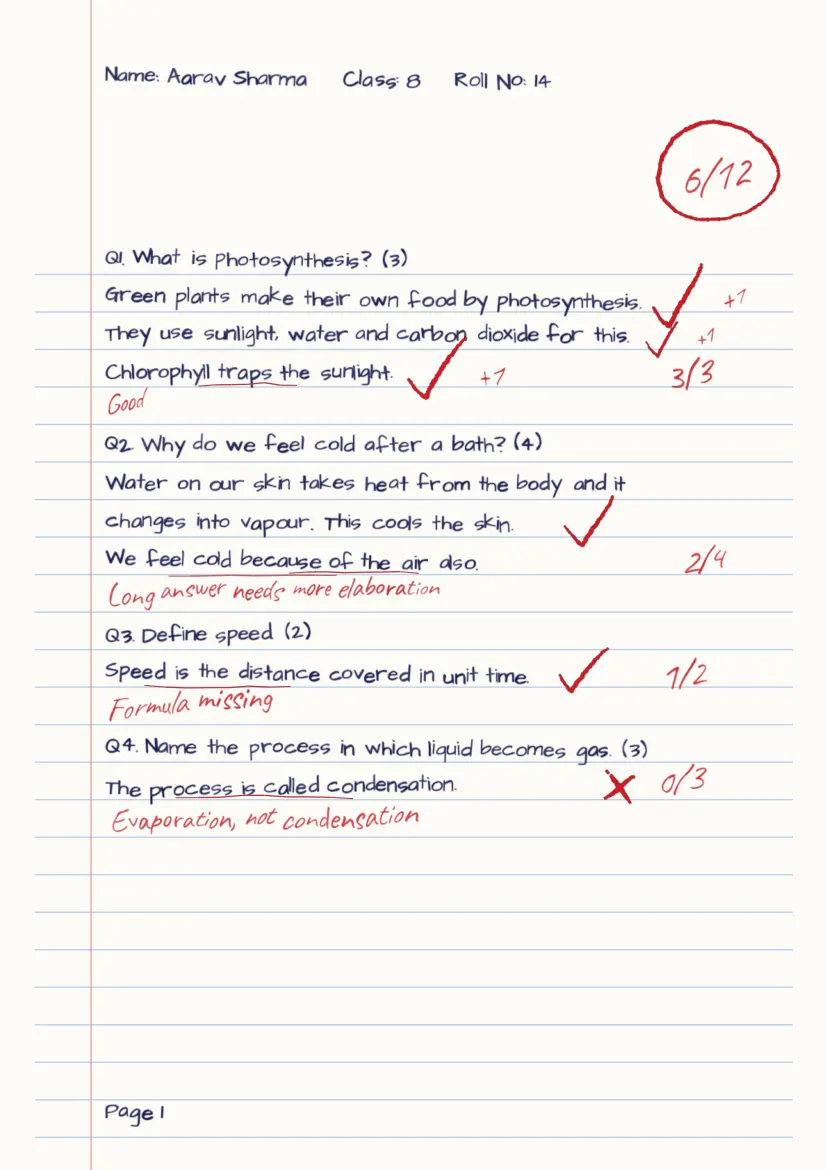
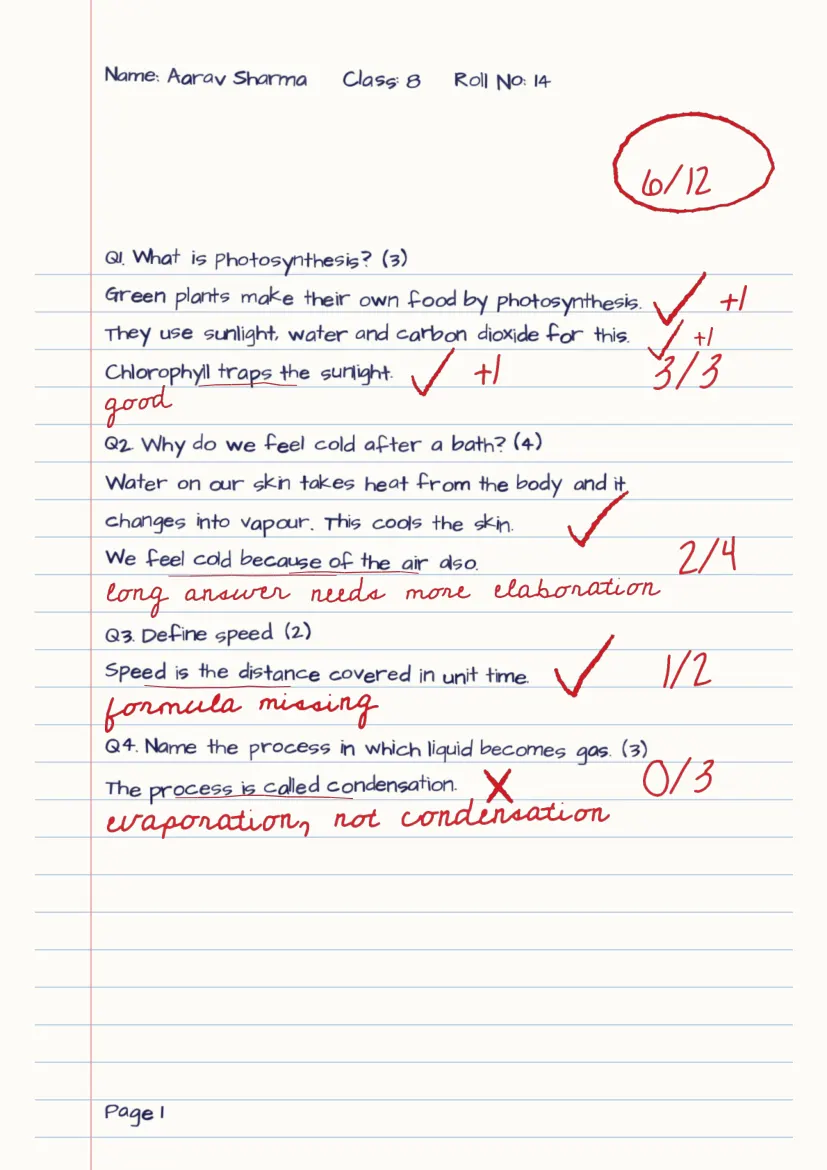
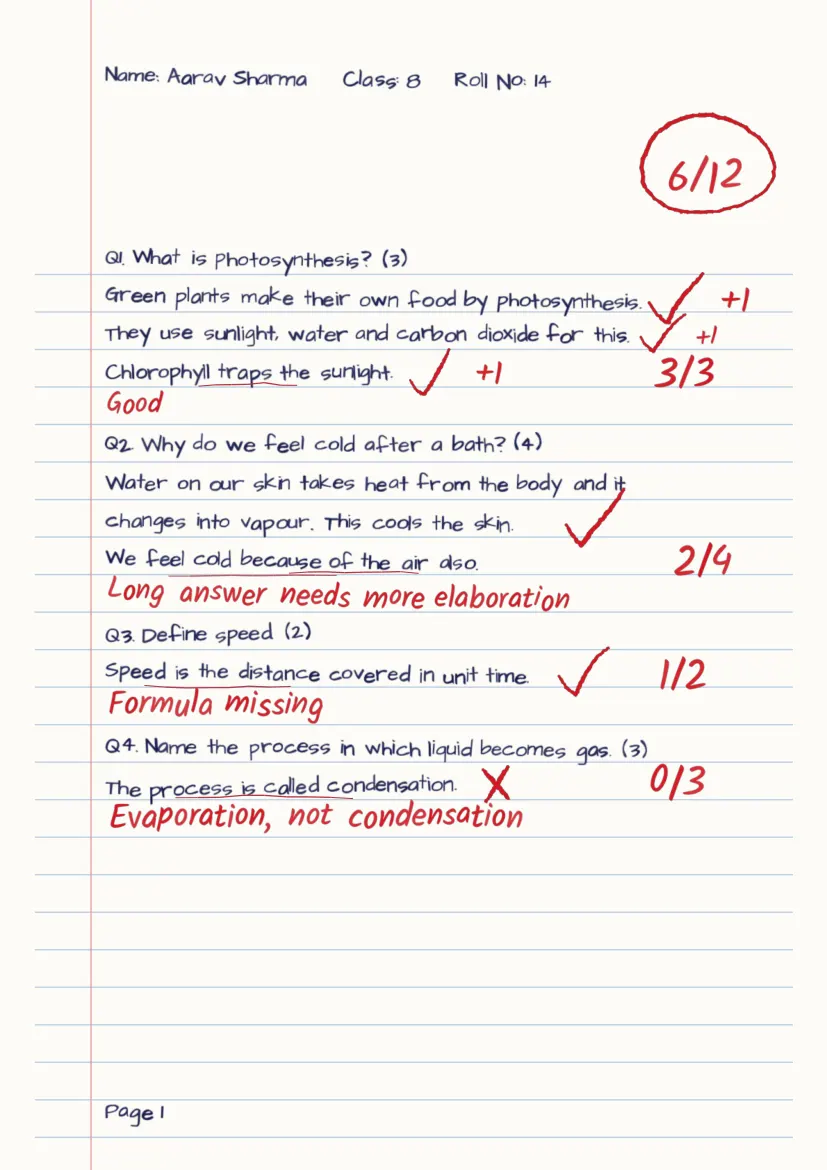
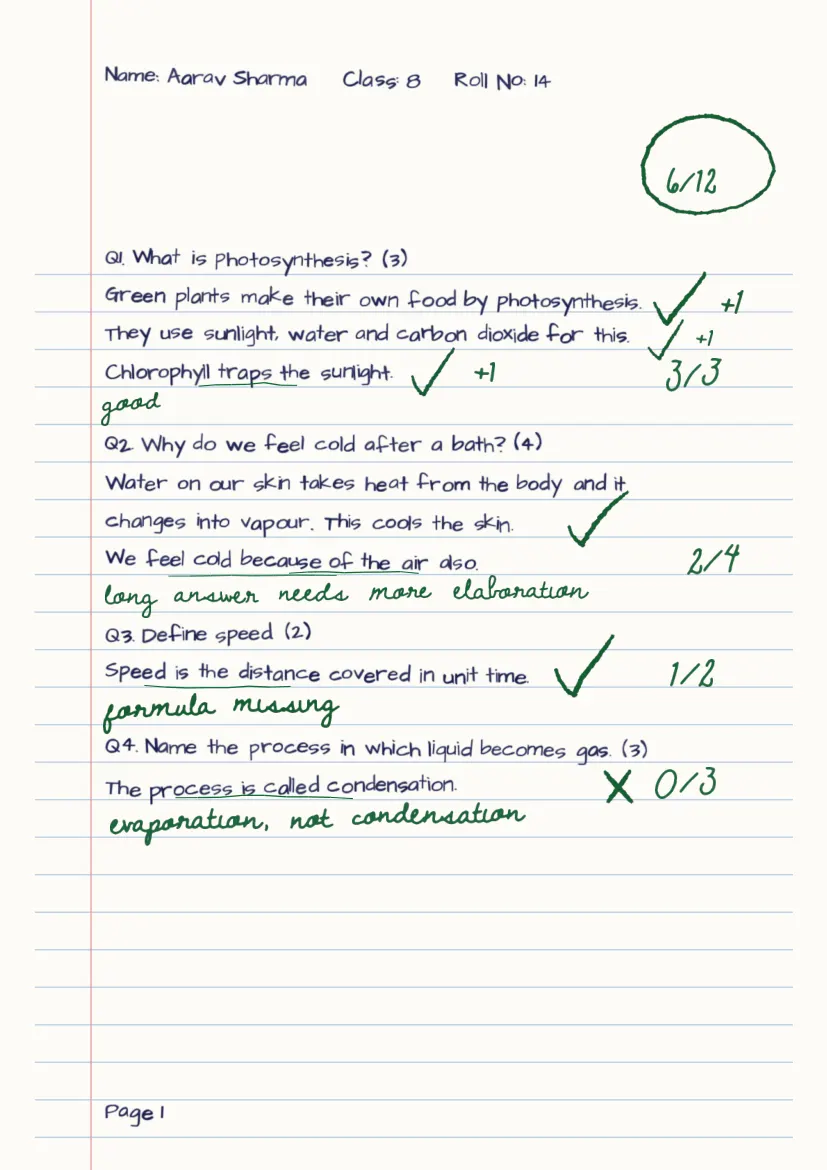
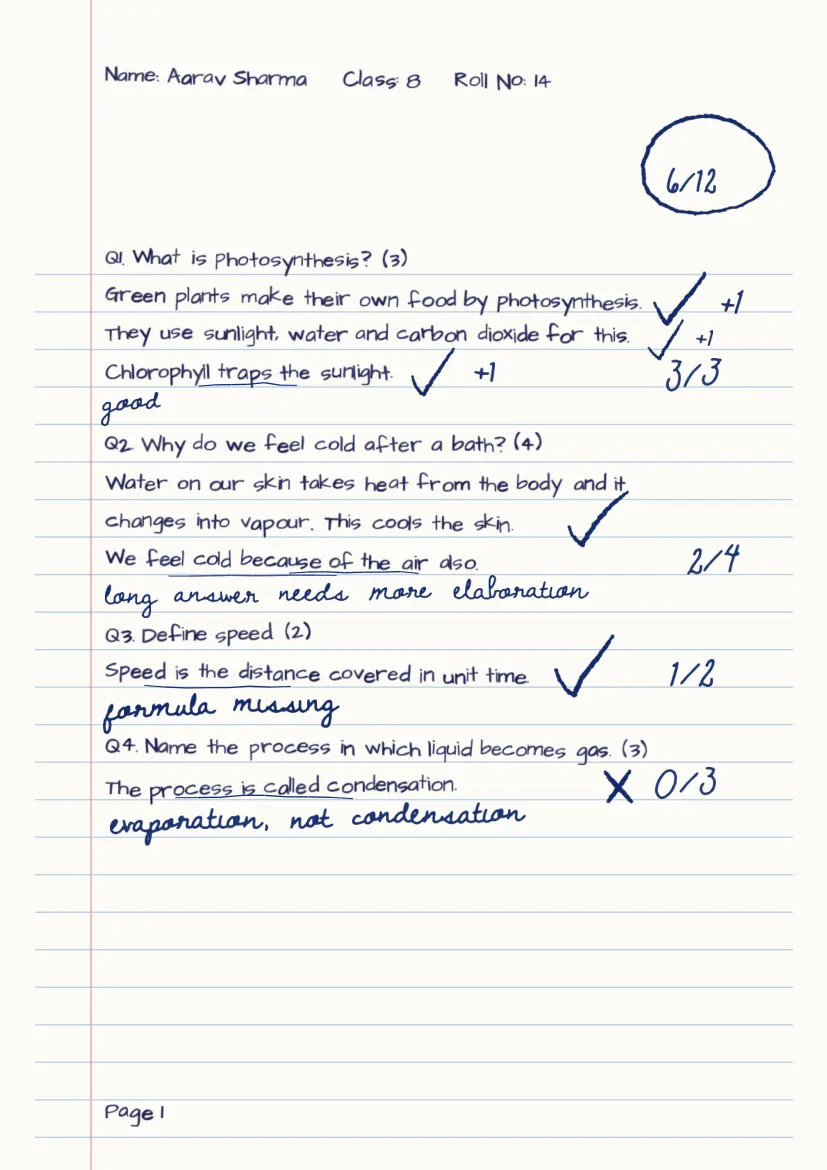
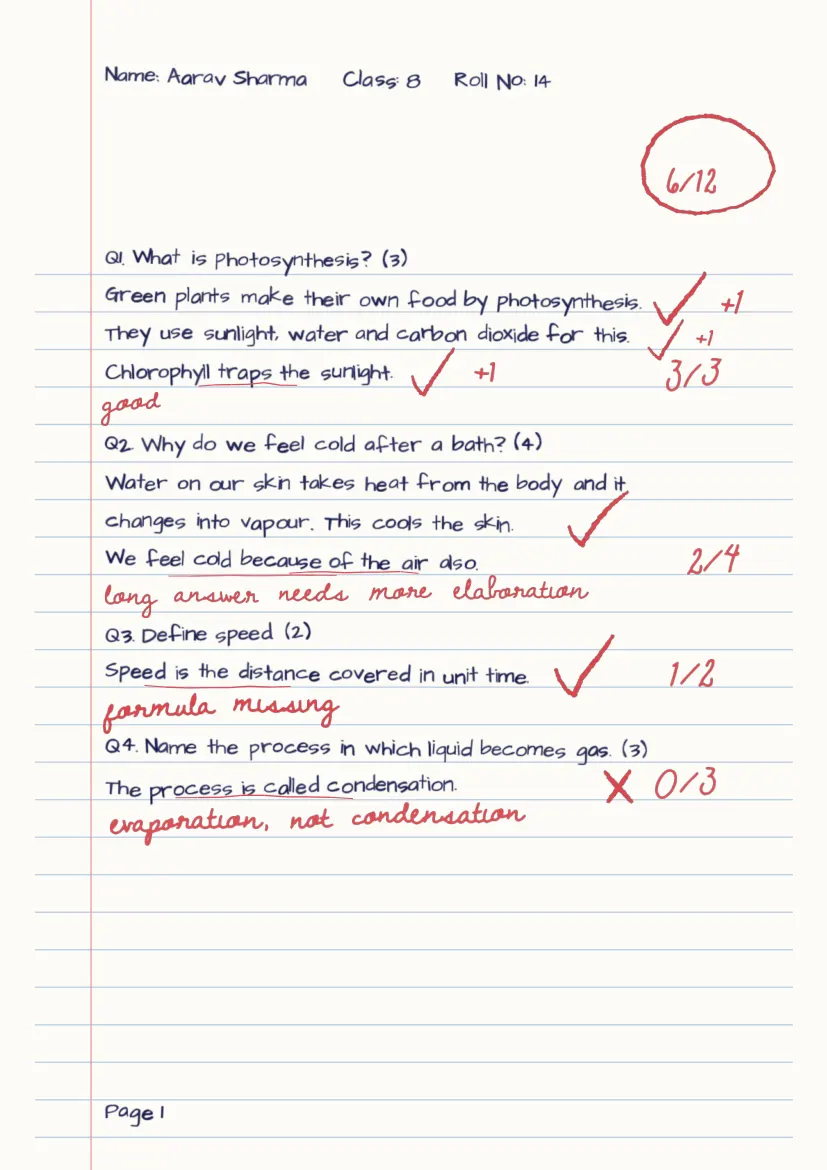
Sample page drawn by Evalezy’s pen preview. Tap an image for the full page.
What changes from pen to pen
- Letter shapes and slant. From the joined, slanted Teacher hand to upright, rounded Kalam.
- How joined the writing is. Cursive and Teacher join letters; Natural, Quick and Kalam are closer to print.
- The look of ticks, crosses and the circle. Strokes are drawn with a slight wobble, so no two look machine-identical.
- Ink colour. Red, green and blue here; black or any custom colour is also possible.
- Darkness. Compare the darker blue (8) with the lighter red (9).
- How much room remarks take. Quick writes small; Cursive and Kalam run wider.
What stays the same
- The marks: 3/3, 2/4, 1/2 and 0/3 on every page.
- The total: 6/12, circled at the top right.
- Ticks and crosses on the same lines, and +1 beside each earned point in question 1.
- The remarks: the same words under the same answers.
In other words, the pen is presentation. The marks come from the check: one marking scheme per question, applied to every student, and then the teacher’s review before release.
Which pen for which use
These are suggestions, not measured results. Use the full-page preview to decide.
| Situation | A pen to try | Why |
|---|---|---|
| Primary and middle-school classes | Classic (Kalam), medium or large | Neat, rounded letters are the easiest to read |
| Board-exam practice, older classes | Teacher (default) | Looks like a teacher checked it by hand |
| A school that checks in green or blue | Teacher or Natural, in that ink | Matches the copies students already get |
| Copies that will be printed or photocopied | A darker ink | Faint ink can drop out on a copier |
| Students who find a lot of red upsetting | A lighter red, or blue | Same feedback, softer on the page |
| Long remarks in small margins | Quick, small | Takes the least room; or put remarks beside the copy |
If students write edge to edge, there is another option: set remarks to Outside the copy. Marks stay on the sheet and remarks go in a Teacher comments panel beside it.
Takeaways for schools
- Pick the pen before checking a test. It is set once in Settings and used for every copy checked after you save.
- Preview a full page, not one line. A thin style can look fine big and faint on a full page.
- Change one copy if you need to. After review, “Update checked copy” redraws that copy with your corrections, in the same pen or another.
- Do not judge the AI by its handwriting. Judge it by the marks and remarks, and review them before release.
Where Evalezy fits
Evalezy checks scanned or phone-photographed answer copies and writes the result back onto each student’s own copy, in the pen you chose: see the checked copy. AI does the first check, the teacher reviews and releases. Set the pen in the dashboard or in the Evalezy app; pricing is on the pricing page.
Other case studies: one maths copy checked by a teacher and by AI, and a Class IX copy photographed on a phone.
Frequently asked questions
Is this a real student’s answer copy?+
No. It is the built-in sample page Evalezy uses to preview a pen, with demo answers and demo remarks. For a real answer copy checked by Evalezy, see the Class IX Social Science sample on evalezy.com/sample.
Does the pen style affect the marks a student gets?+
No. All nine pages carry the same marks (3/3, 2/4, 1/2, 0/3) and the same total, 6/12. The pen decides how marks and remarks are drawn, not what they are.
How many handwriting styles does Evalezy have?+
Eight: Teacher (the default), Natural, Scrawled, Quick, Cursive, and three classic faces: Kalam, Patrick Hand and Architects Daughter. Any of them can be drawn in red, blue, green, black or a custom ink, lighter or darker, in three sizes.
Can I preview a pen on a full page before checking?+
Yes. In Settings, “See how it will look” draws a full sample page with the pen you chose, the same way a checked copy is drawn. The images in this article come from that preview.