Red-pen checked copy
The student's own copy, checked the way a teacher would.
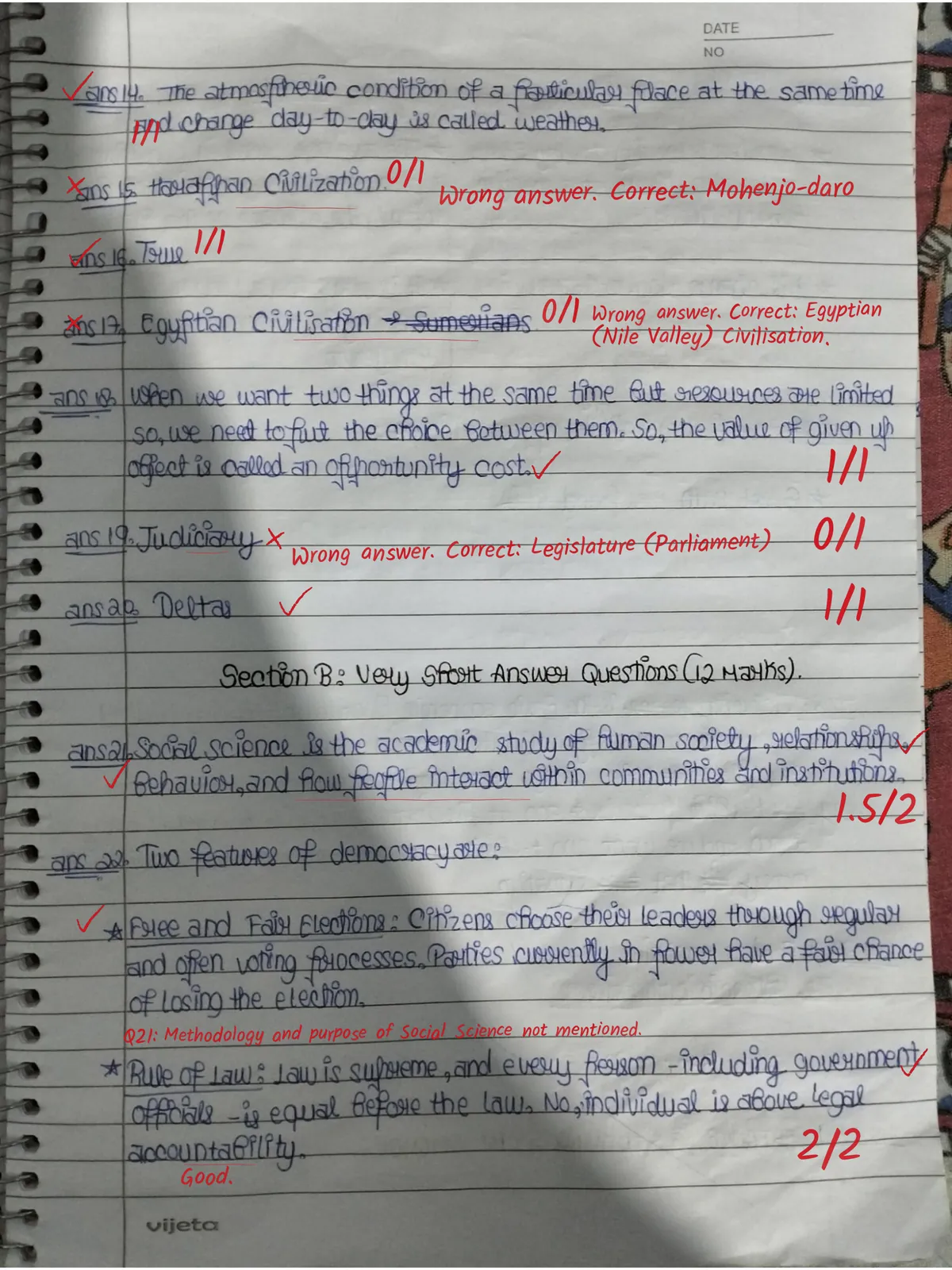
Students learn from the page, not the number.
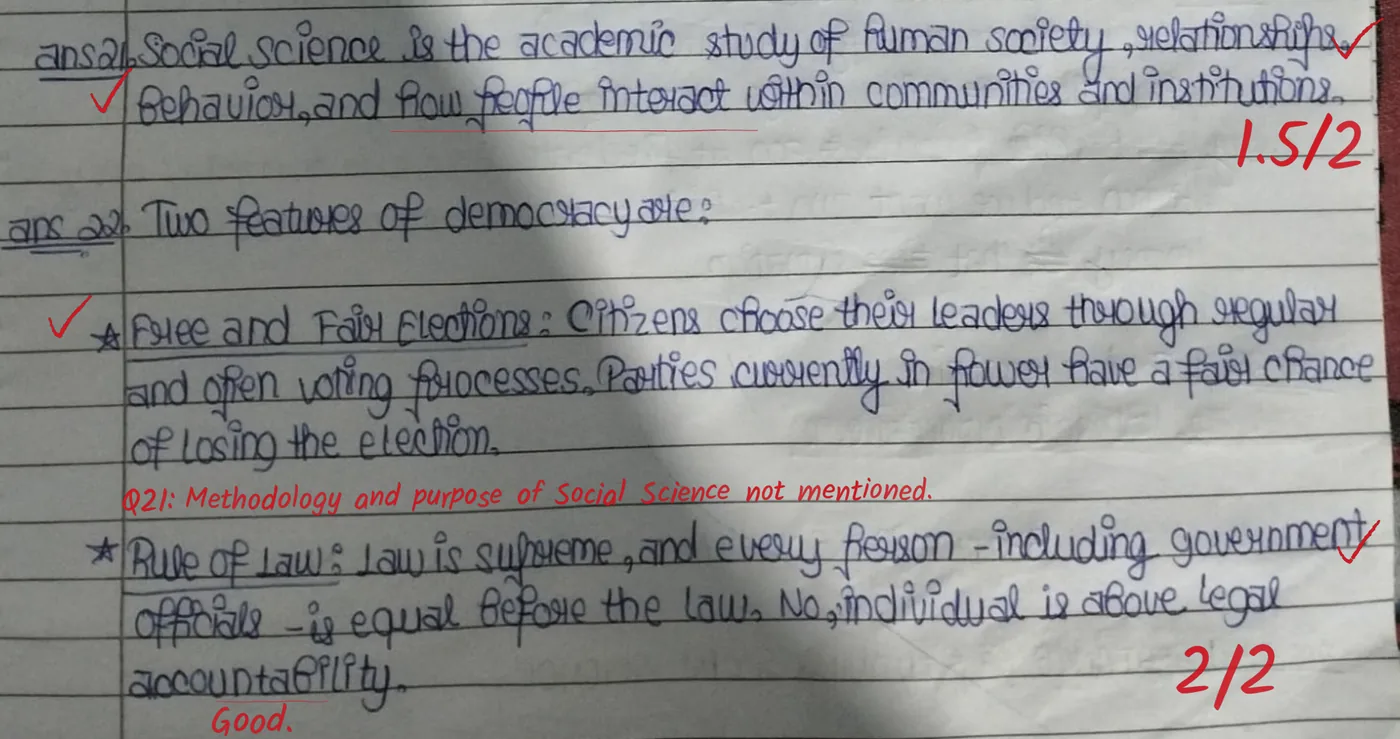
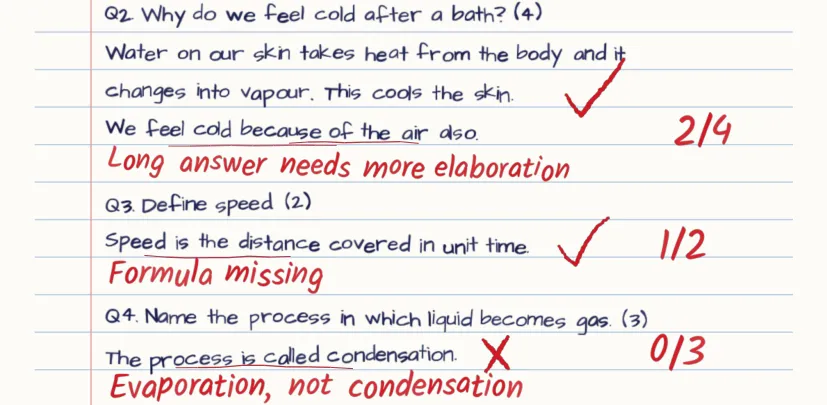
On the left, what most AI graders return. On the right, two crops from a real copy checked by Evalezy.
| Q | Score | Remark |
|---|---|---|
| Q4 | 0 / 1 | Incorrect |
| Q5 | 0 / 1 | Incorrect |
| Q6 | 0 / 1 | Incorrect |
| Q21 | 1.5 / 2 | Partially correct |
| Q30 | 0.5 / 3 | Partially correct |
A number per question. The student never sees where on the page they went wrong.
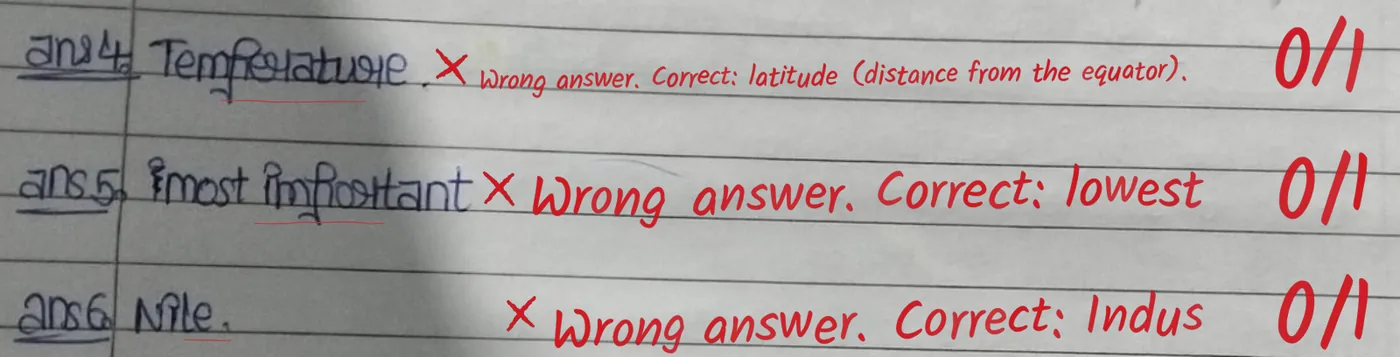
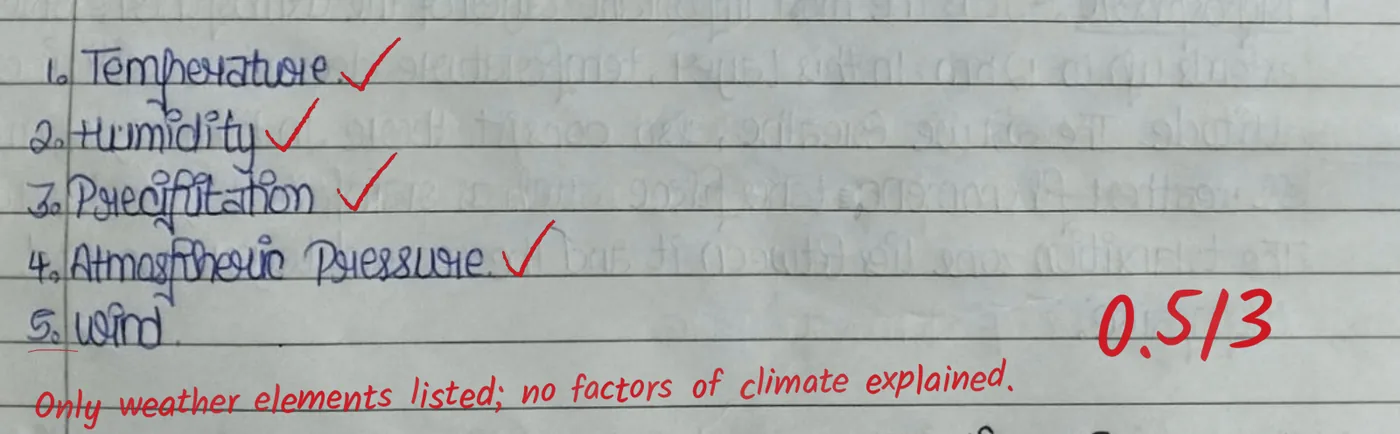
Anatomy of a checked page
Tap a number to see what each mark means.
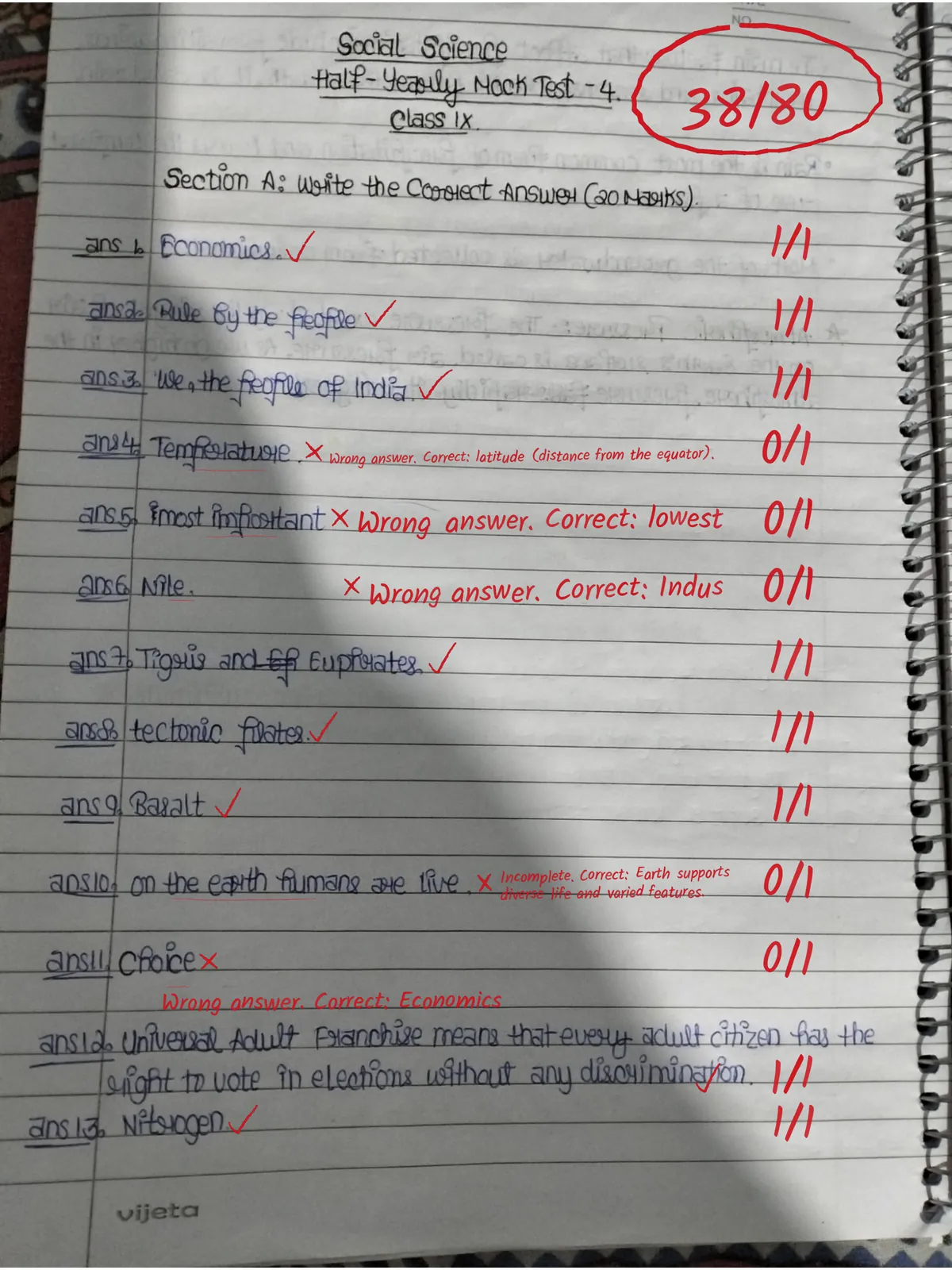
Half marks, with a reason
Partial credit you can see.
Marks are given in half-mark steps against the question's criteria. When an answer earns part of the marks, Evalezy writes what was missing next to it, so “1.5/2” comes with a reason.
- One score per question, written in the margin
- One clear note per deduction, never a wall of text
- Short, kind praise where an answer is complete
Long answers
Notes on what a long answer missed.
On 3- and 5-mark answers, the note names the gap: a missing part, a missing example, a list where an explanation was asked for. It sits right under the answer, in the same red pen.
The note is written for the student, not the teacher: what to add next time.

Your pen, your choice
Pick the handwriting and ink before checking.
Set the AI's pen once in Settings: handwriting, ink colour, darkness and size. Preview a full page, save, and every copy is checked in that pen. Below, the same sample page in four of the options.
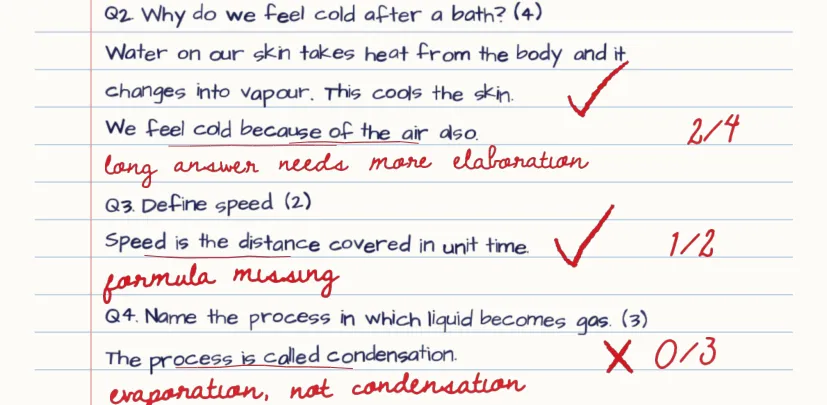
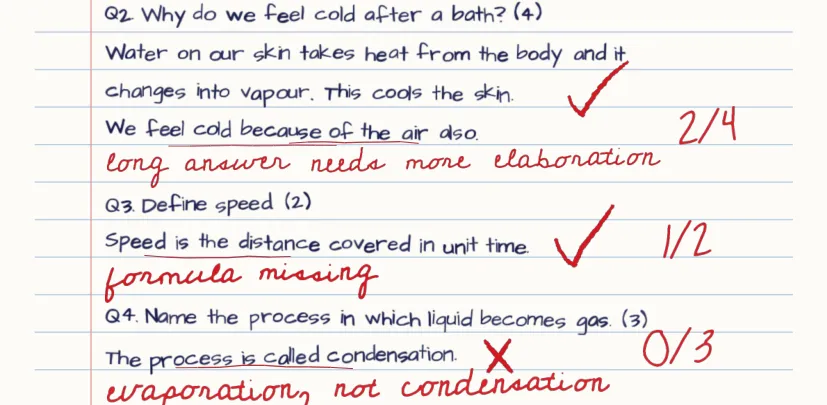
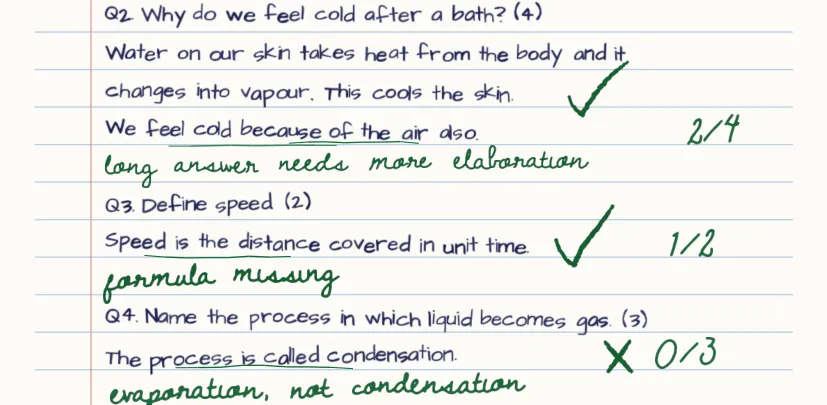
A sample page drawn by Evalezy's pen preview, not a student's copy.
All 8 handwritings and how to chooseThe marks on every copy
- Tick on what earned marks
- Cross, with the correct answer beside it
- 1.5/2Marks per question, in half-mark steps
- noteA short note where marks were lost
Frequently asked questions
Why does the checked copy look handwritten?+
Because students and parents trust a copy that looks checked. Remarks are written in a teacher-like hand on a slightly sloping line, ticks are drawn as uneven pen strokes, and the ink is a teacher's red unless you pick another. The same copy always re-renders identically.
Can we change the handwriting or the pen colour?+
Yes. Before checking, pick the AI's pen in Settings: Teacher, Natural, Scrawled, Quick, Cursive or a classic print hand; red, blue, green, black or any custom ink; how dark; and small, medium or large. See how it will look on a full sample page before you save. Every copy checked after that uses your pen.
Can remarks go beside the copy instead of on it?+
Yes. Choose Inside the copy (remarks next to the answer, the default) or Outside the copy (marks stay on the page, remarks go in a Teacher comments panel beside it).
Can teachers edit the checked copy?+
Yes. Teachers change marks, remarks and pen notes on the review screen, then press Update checked copy: the PDF is drawn again with their corrections, in the same pen or another. Marks they edit are never overwritten by the AI. The marks students see are the marks the teacher released.
How do students get it?+
When a teacher releases results, each student receives the checked copy as a PDF by email. Results can also go out on WhatsApp through Automations if you have connected WhatsApp.
How big is the checked PDF?+
Page images are re-encoded so the checked PDF stays under 18 MB, small enough to email, even for a long phone-scanned copy.
See your own copies checked.
Book a 20-minute demo. Bring a question paper and a few scanned answer sheets, and watch Evalezy check them in red pen.